Memory
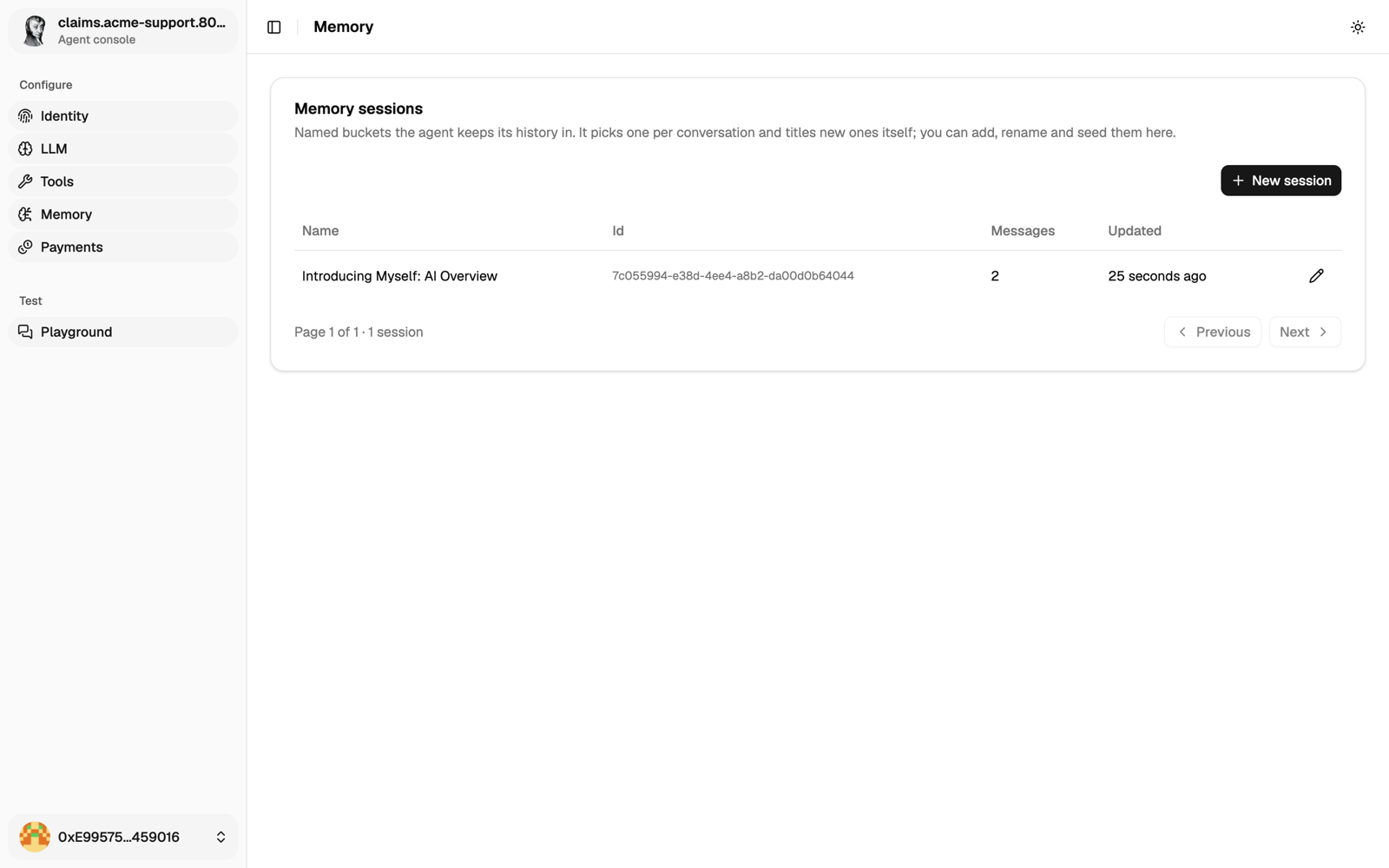
A 6022 Agent remembers through sessions. A session is the transcript of one conversation: the user and assistant messages, in order. There are no summaries and no vector search. The agent works from the transcript of the current session.
How sessions work
Each session has an id and a name.
- The id comes from the caller: the A2A
contextId, orconversation.idon/api/responses. Send the same id again to continue the same session. - The name is unique per caller, like
customer C45653orrefund procedure. Sessions you create get their name straight away. Sessions opened by a caller are named by the model after the first turn. You can rename any of them.
When a transcript grows past token.max_tokens_per_request (default 100000), the oldest non-system messages are dropped first, so context you added in advance goes first.
Who can reach a session
A session belongs to the wallet that created it. If another caller sends the same contextId, they get their own separate session under that label, so they never see yours and can't tell it exists. In the console, the owner sees every session.
The agent can look through sessions with its memory tools (on by default), but it only sees the sessions of the current caller. When a request mentions something discussed before, the agent can list those sessions and tell the caller which one fits. The caller then continues with that session's id. No tool loads another session's transcript into the current one.
Good names help: put the customer number, the ticket or the contract in the name. Still, keep personal data out of session names. On a public agent, turn the memory tools off in Tools if it doesn't need them.
In Playground, a message you send in a customer's session goes to your own session with the same label. You can read the customer's transcript there, but the agent doesn't see it.
Give it context in advance
On the Memory page you can write messages straight into a session, without going through the agent. Use it to teach the agent something before its first real conversation.
- Create a session with a clear name, or pick one.
- Add
userandassistantmessages in the order they should be read. - Ask a related question in Playground, in the same session.
A simple fact:
user:      Client John Doe took out insurance policy POL-654245EF on 12 October 2025.
assistant: Noted. I will use this when asked about John Doe or POL-654245EF.
A short procedure:
user:      What are the steps for processing a refund?
assistant: 1) Check the purchase is under 30 days old. 2) Check the item. 3) Refund it in the CRM. 4) Tell the customer.
user:      What if the item is damaged?
assistant: Skip step 2, escalate to a supervisor, and photograph the damage.
Keep these messages short, and make sure they agree with each other. If two messages contradict each other, the agent's answers will too.
With the API
curl -X POST https://claims.example.com/api/conversations \
  -H "Authorization: Bearer $OWNER_JWT" -H 'Content-Type: application/json' \
  -d '{"name":"refund procedure"}'

curl -X POST https://claims.example.com/api/conversations/$SESSION_ID/messages \
  -H "Authorization: Bearer $OWNER_JWT" -H 'Content-Type: application/json' \
  -d '{"messages":[
        {"role":"user","content":"What are the steps for processing a refund?","timestamp":"2026-01-01T09:00:00Z"},
        {"role":"assistant","content":"1) Check the purchase is under 30 days old. 2) …","timestamp":"2026-01-01T09:00:01Z"}
      ]}'
Each message needs a timestamp. Increasing timestamps keep the messages in order. See Use the API for the token.
Next
Set prices and budgets.