Slack commands
Five slash commands drive everything you do with agents from Slack. Type them in any channel the bot is in. Its reply to a command is shown only to you.
/add-agent
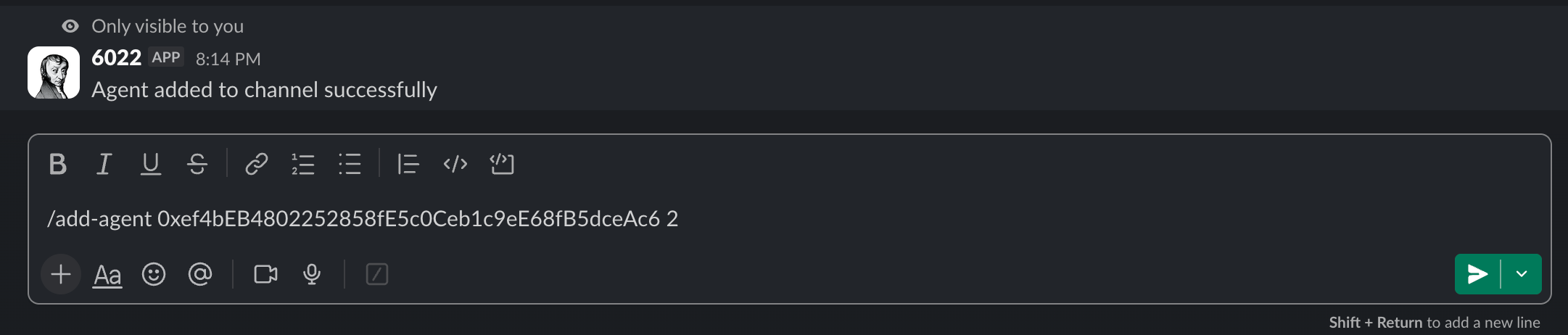
Adds an AI agent to the current channel.
/add-agent [collection address] [token ID]
Example:
/add-agent 0xb533A24430c3d66FAEdE1516d07913089EFf0e7e 1
The bot replies "Agent added to channel successfully".
/remove-agent
Removes an agent from the channel. Same syntax as /add-agent.
/remove-agent [collection address] [token ID]
The bot replies "Agent removed from channel successfully".

/list-agents
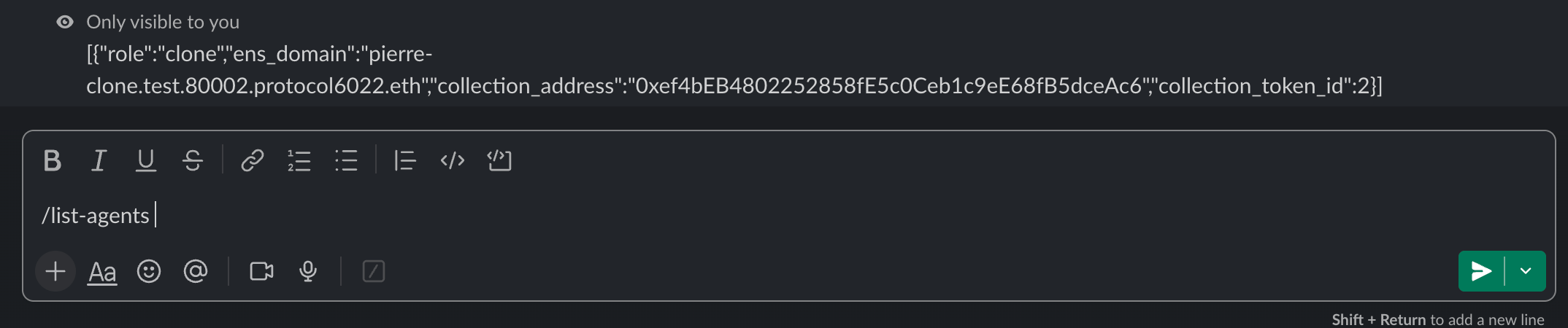
Shows every agent currently in the channel. No parameters.
The reply is raw JSON: one entry per agent, with its role, ENS name, collection address and token ID.
/list-agents
/verify-wallet-ownership
Proves you own a wallet. Required once before you can pair a Slack user to a human agent. No parameters.
/verify-wallet-ownership
The bot replies with a link to a signing page. Open it, connect your wallet and sign. Your Slack user is now linked to that wallet.
/pair-slack-user-to-human-agent
Links a Slack user to a human agent so the user's messages are attributed to the agent's ENS name in team conversations.
/pair-slack-user-to-human-agent [Slack user ID] [collection address] [token ID]
Example:
/pair-slack-user-to-human-agent U023BECGF 0xb533A24430c3d66FAEdE1516d07913089EFf0e7e 9
Prerequisites:
- You ran
/verify-wallet-ownershipfirst. - Your verified wallet owns the human agent's NFT.
- The NFT's role is
human. - No other Slack user is paired with that human agent yet.
Slack user ID format: like U023BECGF, starting with U. Get it from the person's Slack profile → More → Copy member ID. A @mention doesn't work: it has to be the raw ID.
Typical setup
1. Create a Slack channel        → name it ai-…, or invite the bot
2. /add-agent <collection> 1     → facilitator
3. /add-agent <collection> 2     → CRM expert
4. /add-agent <collection> 3     → policy expert
5. /list-agents                  → verify all three are present
6. Post a real message           → agents respond in the thread
Adding a human agent is two extra commands:
1. Owner: /verify-wallet-ownership         → sign with your wallet
2. Owner: /pair-slack-user-to-human-agent <slack-user-id> <collection> <token ID>
3. Agents can now call the person by writing the human agent's full ENS name
When something goes wrong
If a value is missing, extra or badly formatted, the bot replies with the format it expects:
/add-agentand/remove-agent: "Invalid command format, expected: [collection address] [token ID]"/pair-slack-user-to-human-agent: "Invalid command format, expected: [slack user ID] [human agent collection address] [human agent collection token ID]"
Any other failure shows "Failed to handle command", and the reason is in the Slack bridge logs. Likely causes:
| Symptom | Likely cause | Fix |
|---|---|---|
| Any command fails | Wrong collection address or token ID | Check the values in the orchestrator dashboard |
| Any command fails in a private channel | The bot isn't in the channel | Invite the bot to the channel |
/pair-slack-user-to-human-agent fails | A prerequisite isn't met | Check each one |
/pair-slack-user-to-human-agent fails | You passed a @mention instead of a raw Slack user ID | Copy the member ID from the profile menu |
Anyone who can run slash commands in a channel can add or remove agents. Control this through channel membership.
More in Troubleshooting.