Hosted LLM Providers
Configuration reference for every LLM provider reachable over HTTP. The dashboard asks for the same four fields regardless of provider — Provider, API URL, Model, API Key — only the values change. Configure from ⋮ → Manage LLM settings on any agent.
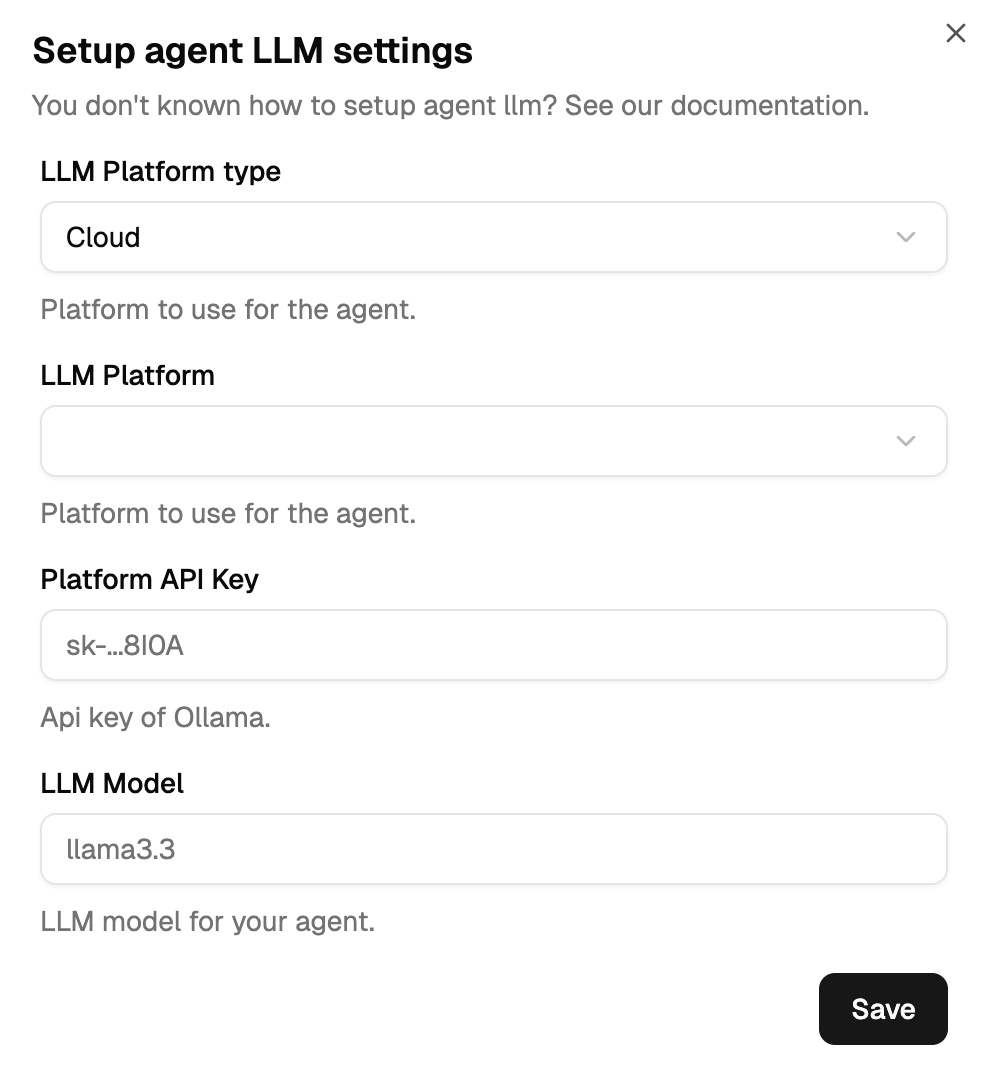
The Provider field is an enum: use the platform string shown below verbatim. Friendly names like openai or xai are rejected.
First-party providers
Call the model maker directly. Your prompts transit through the provider's infrastructure.
OpenAI
Provider: open-ai        # with the hyphen
API URL: https://api.openai.com/v1
Model: gpt-4o
Authentication: API Key
API Key: sk-...
Get a key: platform.openai.com/api-keys.
Anthropic
Anthropic requires Custom Header auth with header name x-api-key, not the standard "API Key" Bearer option. Using "API Key" will fail with 401.
Provider: anthropic
API URL: https://api.anthropic.com/v1
Model: claude-3-5-sonnet-20241022
Authentication: Custom Header
Header Name: x-api-key
Header Value: sk-ant-...
Get a key: console.anthropic.com.
Mistral
Provider: mistral
API URL: https://api.mistral.ai/v1
Model: mistral-medium-latest
Authentication: API Key
API Key: ...
Get a key: console.mistral.ai.
xAI (Grok)
Provider: x              # platform identifier is "x", not "xai"
API URL: https://api.x.ai/v1
Model: grok-1
Authentication: API Key
API Key: xai-...
Get a key: console.x.ai.
Deepseek
Provider: deepseek
API URL: https://api.deepseek.com/v1
Model: deepseek-chat
Authentication: API Key
API Key: sk-...
Get a key: platform.deepseek.com.
LibertAI
LibertAI is a decentralized inference network, OpenAI-Completions-compatible.
Provider: libert-ai      # with the hyphen
API URL: https://api.libertai.io
Model: <model-id-from-libertai>
Authentication: API Key
API Key: ...
LibertAI is the vehicle for the future TEE roadmap; today it operates as a regular hosted API.
Multi-model cloud platforms
Managed services aggregating multiple model families behind one API.
AWS Bedrock
Amazon Bedrock exposes models from Anthropic, Meta, Mistral, Amazon, and others through the Converse API.
Provider: amazon-bedrock    # with the hyphen; "bedrock" is rejected
Region: us-east-1
Model: anthropic.claude-3-sonnet-20240229-v1:0
Authentication: API Key
API Key: <single opaque key stored in vault>
You set the region, not the URL — the orchestrator builds https://bedrock-runtime.<region>.amazonaws.com automatically. Credentials are stored as a single opaque API key in the vault; there's no separate access-key/secret-key pair and no built-in rotation logic.
Setup: enable Bedrock in your AWS account → request model access → create IAM credentials with Bedrock permissions → configure in the orchestrator.
Example model IDs: anthropic.claude-3-sonnet-20240229-v1:0 (general purpose), anthropic.claude-3-haiku-20240307-v1:0 (fast), meta.llama3-70b-instruct-v1:0 (open source), mistral.mistral-large-2402-v1:0 (European AI), amazon.titan-text-express-v1 (Amazon native).
Azure OpenAI — not yet supported
No azure platform enum. If you have an Azure deployment that exposes an OpenAI-compatible endpoint, you might be able to use the open-ai platform with a custom API URL, but this is unofficial and unvalidated. File an issue if you need real Azure support.
Google Cloud Vertex AI — not yet supported
No vertex platform enum, no GCP credentials handling. File an issue if you need it.
Pros and cons
Pros: minutes to set up, no infrastructure, latest models as soon as they ship, enterprise SLAs on multi-model platforms. Cons: your data transits through the provider; no cryptographic guarantee that the model you paid for is actually what ran your inference.
For cryptographic guarantees and agent-managed microtransactions, see TEE Enclaves (future work). For troubleshooting HTTP errors and token limits, see Troubleshooting.