MCP Configuration
How to add an MCP connection to an agent from the dashboard.
Prerequisites
- Your agent's LLM supports function calling (see LLM Compatibility)
- The MCP server is running and reachable over HTTPS (non-HTTPS URLs are rejected)
- You have the auth credentials if the server requires them
Adding a connection
- Open the agent in the dashboard
- Click ⋮ → Manage MCPs
- Click + Add MCP Connection and fill in the form
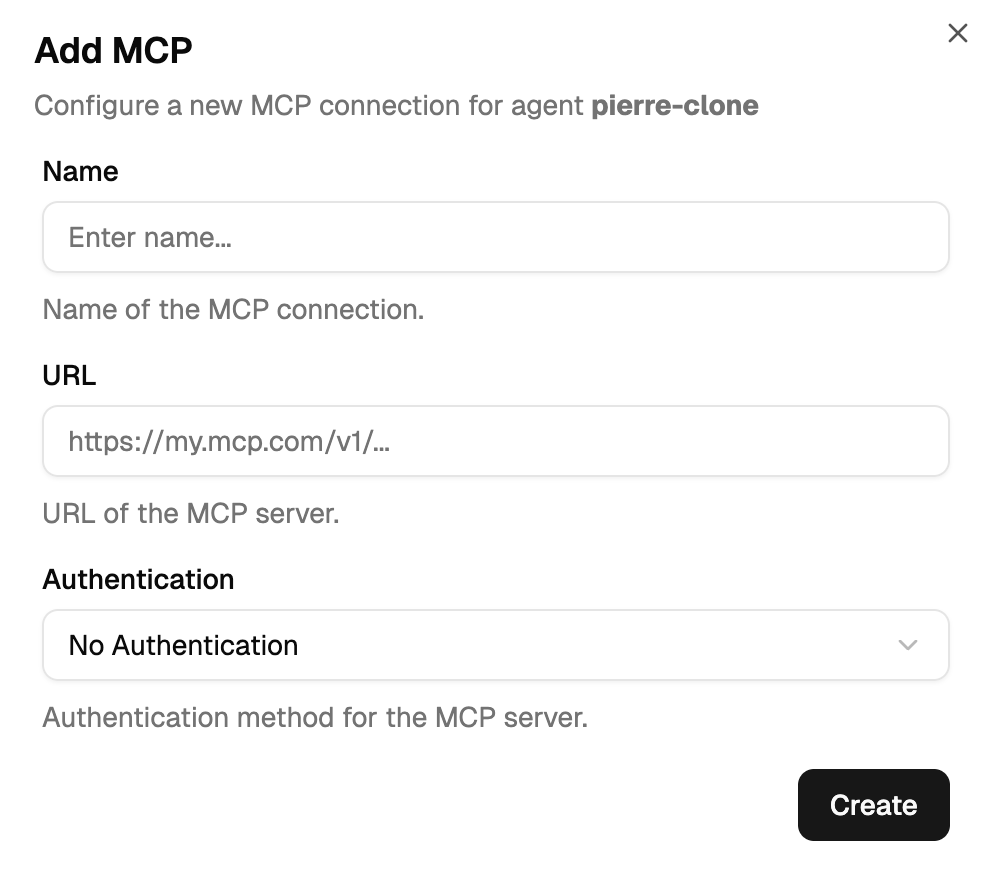
Fields
| Field | Description |
|---|---|
| Name | Identifier for this connection. Must match ^[a-z][a-z0-9-]*$ and be at least 3 characters. Unique per agent. |
| URL | Server endpoint — HTTPS only. Unique per agent. |
| Authentication | A set of HTTP header key/value pairs that get attached to every request. |
Authentication methods
The UI offers four auth labels for clarity, but they all resolve to the same underlying header map:
| UI label | What you fill in | What the orchestrator sends |
|---|---|---|
| None | nothing | no auth header |
| API Key (Bearer) | a token | Authorization: Bearer <token> |
| Custom Header | a header name + value | <header-name>: <value> |
| Basic Auth | username + password | Authorization: Basic <base64(user:pass)> |
Header values are stored in the orchestrator's secret vault, not in the agent database. Deleting an MCP connection also removes its vault entries.
Pre-configured server examples
For Stripe, Kirha, Markitdown, HubSpot, Notion and other ready-to-go servers, see Available MCPs. That page is the canonical catalogue with exact URLs, auth methods, and gotchas per server.
Verifying a connection
Before wrestling with the dashboard, verify the MCP server itself works with cURL:
curl -X POST 'https://your-mcp-server.com/mcp' \
  -H 'Content-Type: application/json' \
  -H 'Authorization: Bearer YOUR_API_KEY' \
  -d '{"jsonrpc":"2.0","method":"tools/list","params":{},"id":1}'
A working server responds with a result.tools array. If cURL fails, the problem is on the MCP side — see Troubleshooting for 401/424/500 diagnostics.
Managing multiple MCPs on one agent
An agent can have many MCP connections. The LLM sees all the tools from all connections and picks the right one per question. For tool count limits, specialisation strategies, and when to split vs combine, see Best Practices.
Removing a connection
Open ⋮ → Manage MCPs, click ⋮ on the row you want to remove, select Delete. Past conversations are unaffected — the agent just won't have access to those tools going forward.