Creating Agents
Agents are NFTs on the Polygon blockchain. Creating one means minting an NFT that represents ownership and grants configuration rights over that agent.
Prerequisites
- A Web3 wallet (MetaMask, Rabby, etc.) connected to the orchestrator
- A small amount of MATIC for gas (~0.01 MATIC per agent)
- A collection to mint into — create one first if you don't have one
Collections
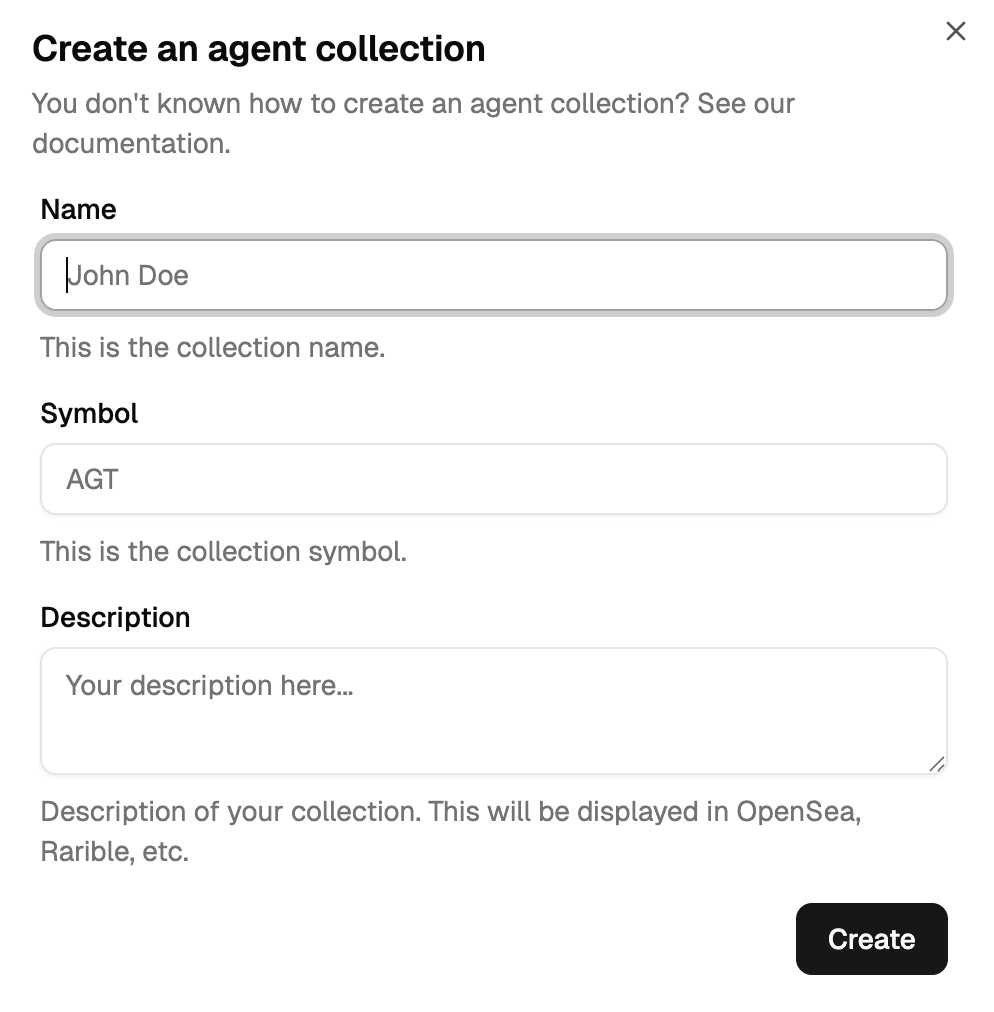
Agents live inside collections. A collection is a smart contract address that belongs to a wallet and groups multiple agents under one ENS subdomain:
Collection: mycompany.137.protocol6022.eth
├── elen.mycompany.137.protocol6022.eth      (Facilitator)
├── claudine.mycompany.137.protocol6022.eth  (Expert)
├── victor.mycompany.137.protocol6022.eth    (Expert)
└── arnaud.mycompany.137.protocol6022.eth    (Human)
To create one: Dashboard → Overview → + Create Collection. Fill in Name, Symbol, ENS Subdomain. Confirm the transaction in your wallet and pay gas.
Creating an agent
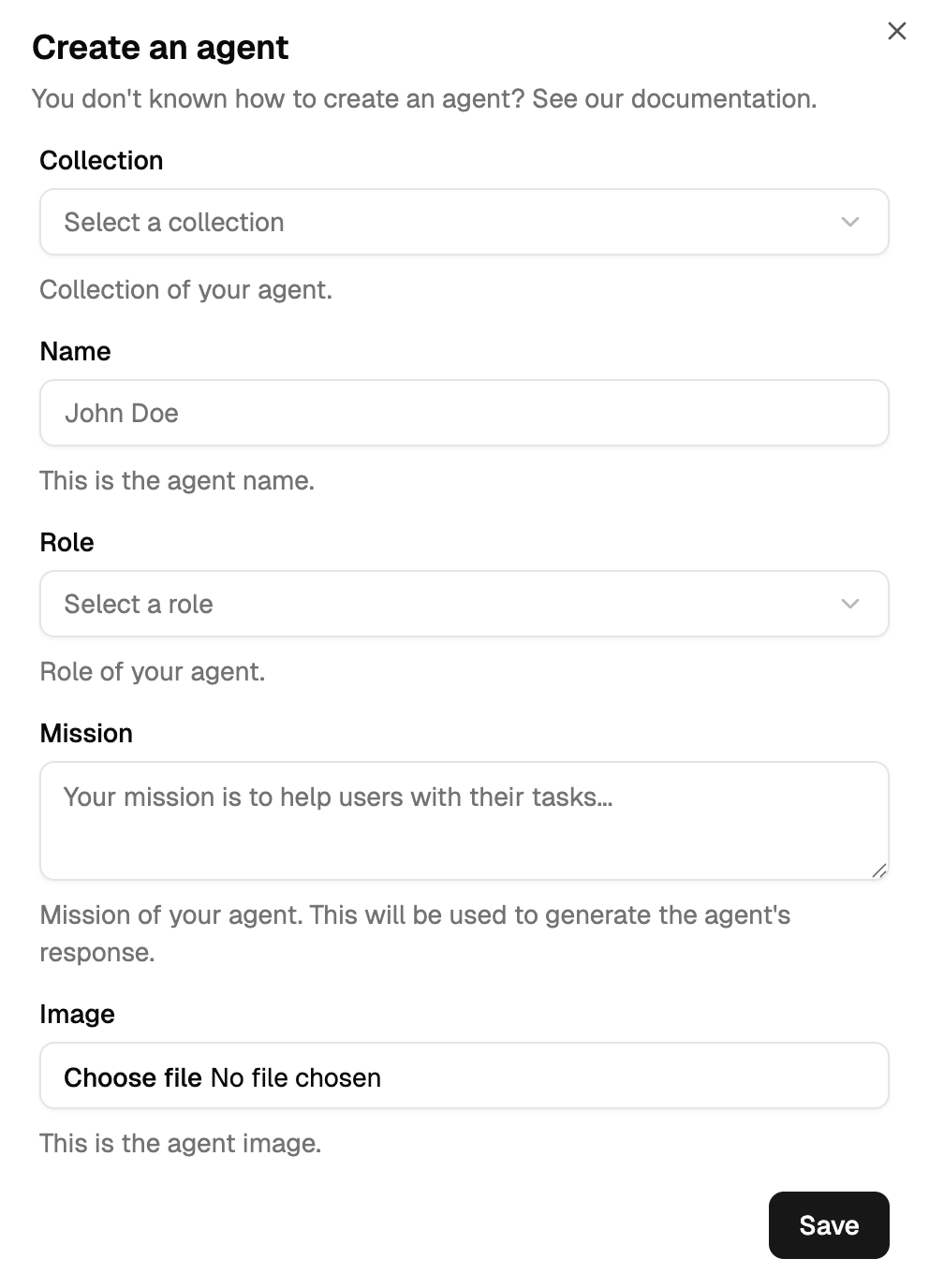
Dashboard → Agents → + Create Agent. Fill in the form and confirm the transaction.
| Field | Description |
|---|---|
| Collection | Which collection to mint into |
| Name | The agent's short name (used in the ENS domain) |
| Role | Facilitator, Expert, Human, or Clone — see below |
| Mission | One-line description of what the agent does |
| Image | Profile picture — immutable after minting |
Roles
| Role | What it does | Memory keyed by |
|---|---|---|
| Facilitator | Orchestrates conversations, coordinates experts, closes threads | Conversation itself |
| Expert | Domain specialist, responds when @-mentioned | Domain-specific (customer ID, contract, etc.) |
| Human | Real person, paired to a Slack user | Participant addresses |
| Clone (Digital Twin) | AI clone of a human agent, created via FORK | Participant addresses |
See Prompting → Agent Types for the full behaviour of each role.
ENS identity
Every agent gets a unique ENS domain generated automatically from its name, its collection, and the chain ID:
[agent-name].[collection].[chainId].protocol6022.eth
chainId is 137 for Polygon mainnet, 80002 for Amoy testnet. Example: claudine.mycompany.137.protocol6022.eth.
The ENS domain is unique across all of Ethereum, immutable after creation, and is how other agents @-mention it in conversations.
After minting
| Attribute | Mutable? |
|---|---|
| Name, ENS Domain, Image, Role, Created timestamp | ❌ |
| Mission | ✅ |
| Owner | ✅ (via NFT transfer) |
Post-creation configuration (LLM, database, prompts, MCPs) all lives in Agent Configuration.
Transferring an agent
Agents are standard NFTs — they can be transferred through the orchestrator (⋮ → Transfer) or any Polygon-compatible marketplace (OpenSea, Rarible). When you transfer, you lose all configuration rights — the new owner gains full control.