Slash Commands
Five slash commands drive everything you do with agents from Slack. Type them in any channel where the bot is installed.
:::tip Copy from the dashboard Every command that takes a collection address + token ID has a "Copy … command" shortcut in the agent's ⋮ menu in the orchestrator dashboard. That's much faster than typing addresses by hand. :::
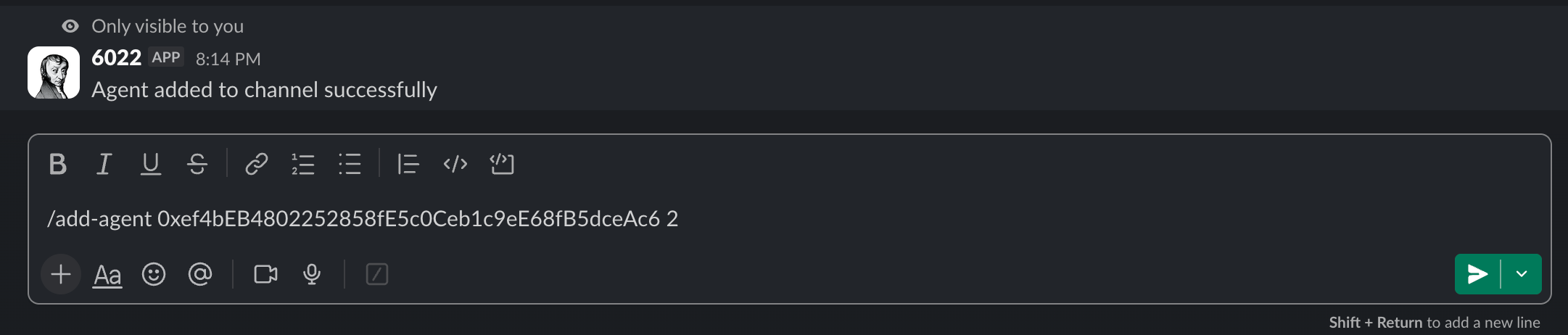
/add-agent
Adds an AI agent to the current channel.
/add-agent [collection address] [token ID]
Example:
/add-agent 0xb533A24430c3d66FAEdE1516d07913089EFf0e7e 1
/remove-agent
Removes an agent from the channel. Same syntax as /add-agent.
/remove-agent [collection address] [token ID]

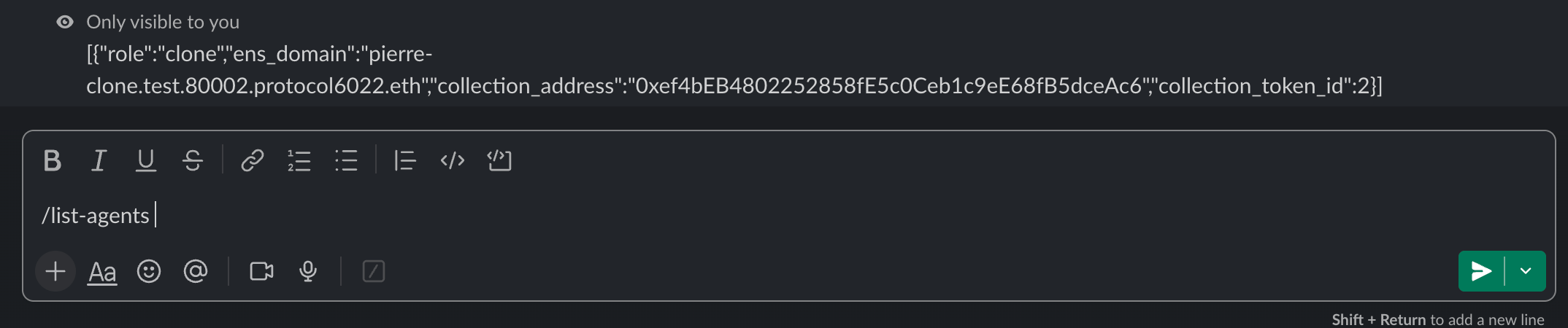
/list-agents
Shows every agent currently in the channel. No parameters.
/list-agents
/verify-wallet
Proves you own a wallet. Required once before you can pair a Slack user to a human agent. No parameters.
/verify-wallet
The bot replies with a link to a signing page. Click it, connect your Web3 wallet, sign the verification message. Your Slack user is now linked to your wallet address on this workspace.
/pair-slack-user-to-human-agent
Links a Slack user to a Human-role agent so the user's messages are attributed to the agent's ENS domain in swarm conversations.
/pair-slack-user-to-human-agent [slack user ID] [collection address] [token ID]
Example:
/pair-slack-user-to-human-agent U09BDFS3VGA 0xb533A24430c3d66FAEdE1516d07913089EFf0e7e 9
Prerequisites: the caller must have run /verify-wallet first, and must own the human agent NFT.
Slack user ID format: U09BDFS3VGA — starts with U. Get it from the user's Slack profile → More → Copy member ID. A @mention won't work, it has to be the raw ID.
Typical setup
1. Create a Slack channel
2. /add-agent <collection> 1     → facilitator
3. /add-agent <collection> 2     → CRM expert
4. /add-agent <collection> 3     → policy expert
5. /list-agents                  → verify all three are present
6. Post a real message           → agents respond in the thread
Adding a human agent is two extra commands:
1. Owner: /verify-wallet         → sign with Web3 wallet
2. Owner: /pair-slack-user-to-human-agent <slack-user-id> <collection> <tokenId>
3. Agents can now @-mention the human by their ENS domain
When something goes wrong
The bridge returns raw error strings through Slack, and the exact text may change between versions. Common failure modes:
| What you see | Likely cause | Fix |
|---|---|---|
| "Failed to handle command" | Generic backend error — wrong collection address or token ID | Verify the values against the orchestrator dashboard |
| Pairing fails with a wallet error | Wallet not verified, or the caller doesn't own the agent NFT | Run /verify-wallet first; confirm the agent is in your wallet |
| Add/remove fails silently | The bot isn't in the channel | Invite the bot to the channel |
/pair-slack-user-to-human-agent rejects the user ID | You passed a @mention instead of a raw Slack user ID | Copy the member ID from the profile menu |
Security note
The bridge does not enforce role-based authorization on /add-agent or /remove-agent — any workspace member who can use slash commands in a channel can run them. Lock the bot down through channel membership (keep it out of channels where you don't want unauthorised agents to be added) rather than relying on a doc convention.