Introduction to LLM Configuration
Every agent has its own LLM. You can mix providers inside a single team: a premium model for the facilitator that orchestrates everything, cheap or local models for experts that do simple lookups. This saves money, improves diversity of reasoning, and protects against single-vendor outages.
Supported providers
The platform string in the right column is the literal value the orchestrator stores in its Platform field — use it verbatim when configuring through the API.
| Provider | Models | Platform string | MCP routing |
|---|---|---|---|
| OpenAI | GPT-4, GPT-4o, GPT-5 | open-ai | ✅ Native (via /v1/responses) |
| Anthropic | Claude 3, Claude 3.5, Claude 4 | anthropic | ✅ Native — requires custom header (x-api-key) |
| AWS Bedrock | Llama, Mistral, Claude, Titan | amazon-bedrock | ⚙️ Function-call loop (Converse API) |
| xAI | Grok | x | ⚙️ Function-call loop (model-dependent) |
| Mistral | mistral-medium-latest | mistral | ⚙️ Function-call loop (model-dependent) |
| Deepseek | deepseek-chat | deepseek | ⚙️ Function-call loop (model-dependent) |
| LibertAI | Open-source models | libert-ai | ⚙️ Function-call loop (model-dependent) |
| Ollama | Llama 3, Mistral, Mixtral, etc. | ollama | ⚙️ Function-call loop (model-dependent) |
Native MCP routing means the orchestrator hands your MCP server definitions straight to the provider. Function-call loop means the orchestrator runs its own loop and asks the model to emit tool calls — so whether MCP works depends on whether the chosen model actually supports function calling.
Configuring in the dashboard
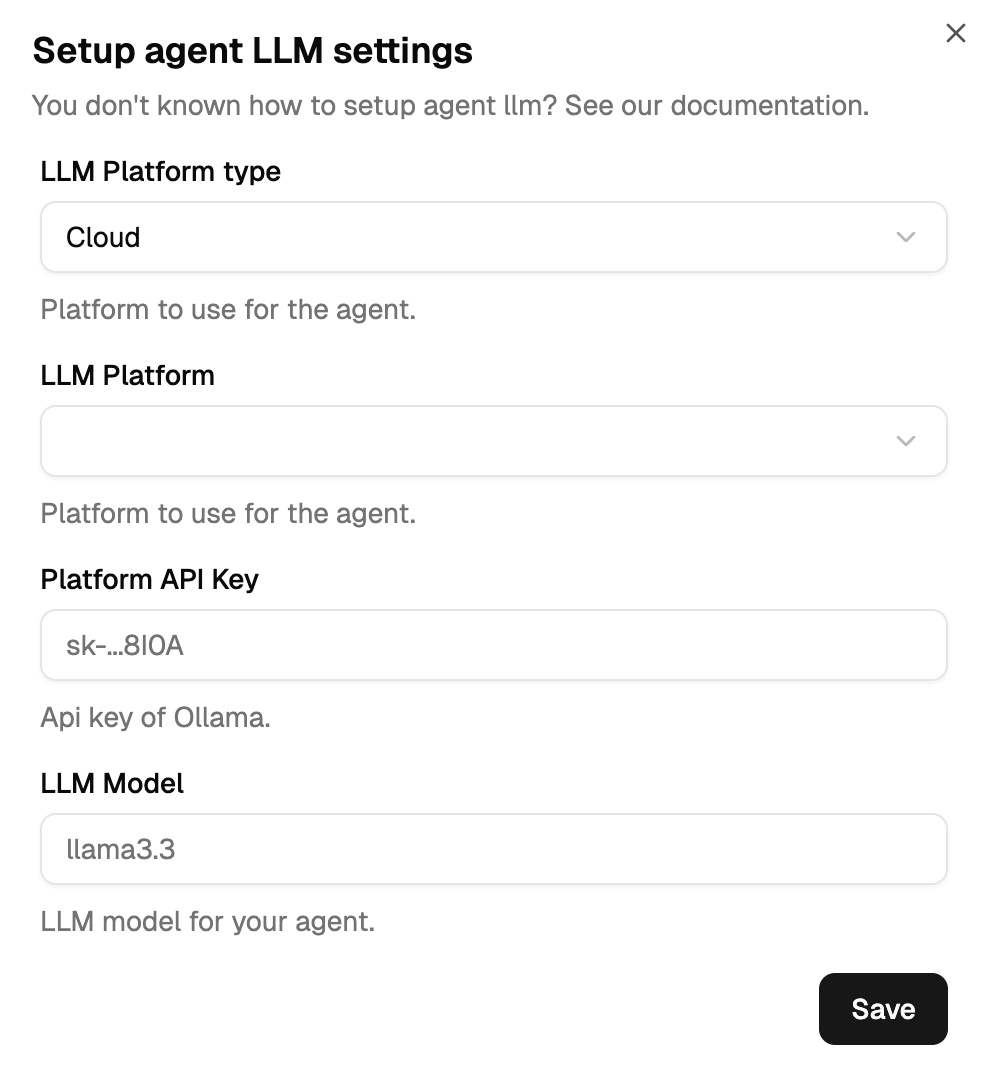
- Open the agent
- Click ⋮ → Manage LLM settings
- Fill in Provider, API URL, Model, API Key
- Save
Why mix providers
Different models excel at different things. A customer support team might look like this:
| Agent | Role | LLM | Why |
|---|---|---|---|
| Elen | Facilitator | GPT-4o | Critical coordination, needs best reasoning |
| Claudine | CRM Expert | Claude 3.5 | Nuanced customer interactions |
| Victor | Legal Expert | Claude 3 | Careful regulatory work |
| Charles | Technical Support | Deepseek | Cost-effective for technical lookups |
| Albert | FAQ Bot | Ollama (local) | Zero marginal cost on a cheap model |
Rough cost comparison: the team above runs around $110/month. The same team all on GPT-4o would cost $250/month.
Start with a premium model on the facilitator, then downgrade experts based on their actual needs. Monitor conversations for a week or two before locking in a choice.
Where next
- Hosting Options — decision guide: hosted provider vs local (Ollama) vs TEE
- Hosted Providers — per-provider configuration reference
- Local with Ollama — run models on your own hardware
- TEE Enclaves — future: privacy-preserving compute with agent microtransactions
- Troubleshooting — HTTP errors, token limits, env vars