Prompting
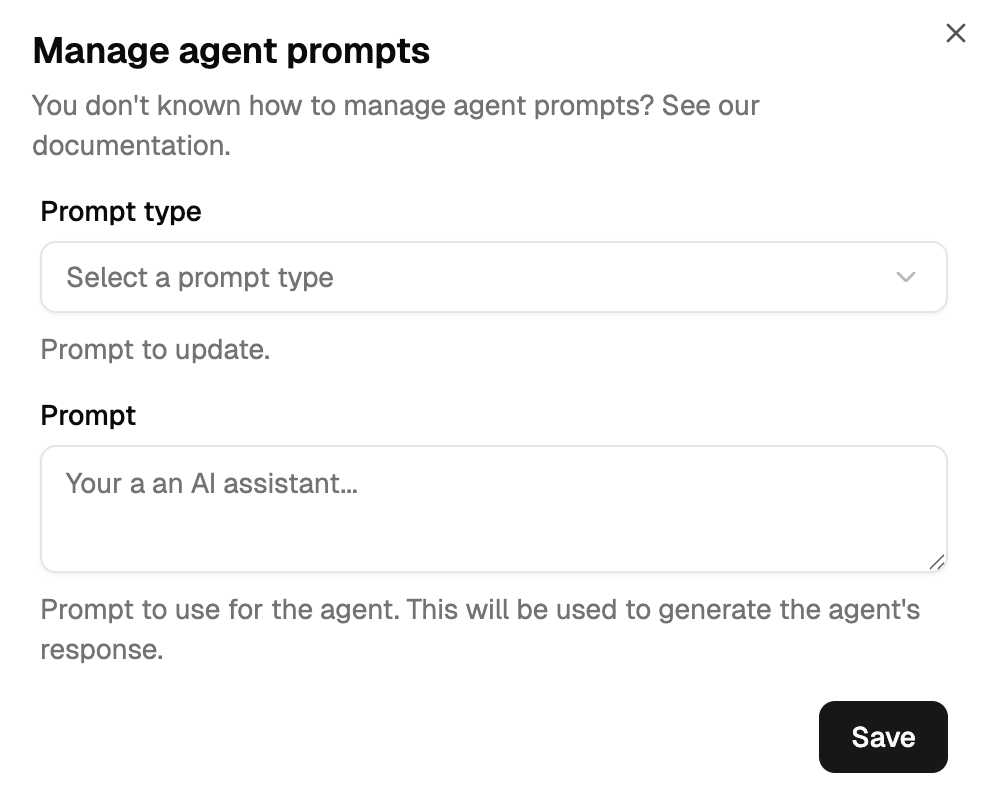
Agent prompts are the instructions that define how agents behave, talk to each other, and collaborate. Configure them from the dashboard: click ⋮ → Manage prompts on any agent.
Where to start
- First time writing prompts? Read Agent Types, then Conversation Flow to understand what each prompt runs when.
- Configuring a facilitator? Facilitator Prompts covers the three prompts (System, Default, Conclude).
- Configuring an expert? Expert Prompts covers the three prompts (System, Context Not Found, Context Found) plus the threading phase.
- Configuring a human or digital twin? Human & Digital Twin.
- Want copy-paste examples? Prompt Templates has two full templates (Customer Support, CRM Expert).
- Need a variable reference? Dynamic Fields has every
{{ .Foo }}and when it's available. - Debugging a prompt? Prompt Writing Guide covers the five most common mistakes.
Three things to remember
- Agents are called by full ENS domain.
@claudine.mycompany.137.protocol6022.ethworks;@claudinedoesn't. - Only the facilitator sees the whole conversation. Experts see only messages where they're @-mentioned. This is by design — experts bridge conversations across threads via their context primary key, the facilitator drives this thread.
- Prompts are Go templates. Use
{{ .VariableName }}to inject runtime values. Never hardcode agent names, customer identifiers, or channel descriptions.
Glossary
- ENS Domain — an agent's full identifier, e.g.
agent.collection.137.protocol6022.eth - Threading — the phase where an expert identifies which context primary key applies to the current conversation
- Context primary key — the identifier that groups an expert's memory (customer ID, contract number, etc.). See Memory → Context Primary Keys.
- Conclude — the final phase where the facilitator generates the user-facing response
:end:— the signal a facilitator writes to explicitly end a conversation- FORK — the operation that creates a digital twin from a human agent
- Swarm — a group of agents collaborating in a channel